
stfc.ir / silentping
Measure the line, not the noise
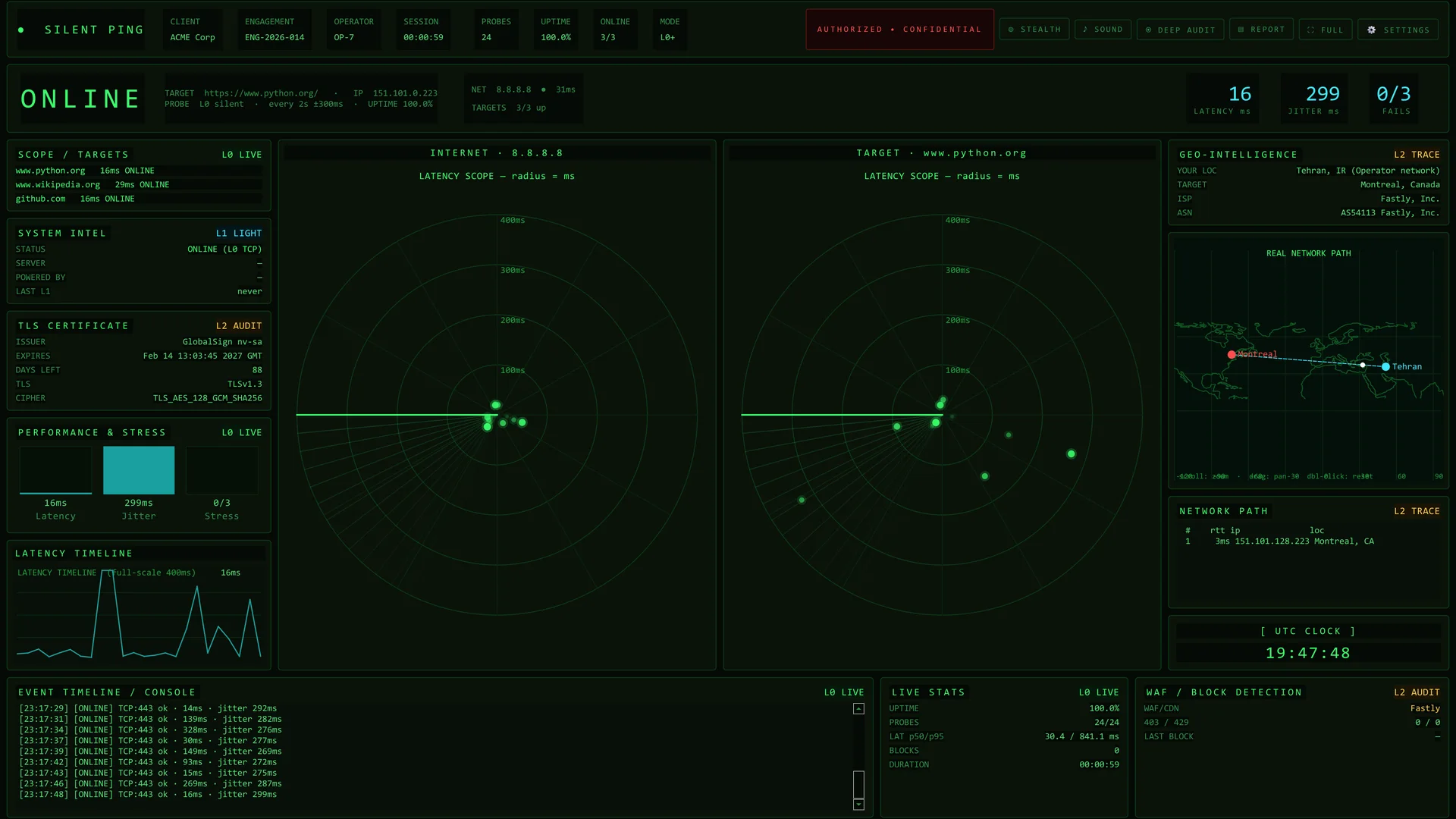
Ordinary ping tells you little: it is often blocked, easy to spot, and it cannot say whether the fault is your own connection or the target. Silent Ping is the console we built in-house to answer that, one quiet TCP handshake at a time.
- TCP handshake per probe
- 1
- payload bytes sent to the target
- 0
- radars: you and the target
- 2
Ordinary ping answers the wrong question
It is often blocked
Many firewalls and CDNs drop ICMP, so a silent host is not necessarily a down host.
It is loud
Regular, identical ICMP bursts are easy for monitoring systems and WAFs to notice and score.
It cannot say who is down
A missing reply could be your own connection, the route or the target. One number cannot separate them.
Quiet by default, deeper only when you ask
Layer 0 is the only one that runs on its own. The deeper layers are optional or manual, and stealth mode switches them off.
Silent heartbeat
A single TCP connect to the port you choose, timed and closed. No request and no payload, so there is nothing for a WAF to score. The interval is randomised with jitter so the pattern is not a metronome.
- Latency, jitter and failure streak
- Extra scope targets on the same beat
- Optional ICMP alongside
Light HEAD
One HTTP HEAD request now and then, for status and server headers. Off by default.
- Off by default
- Long interval
- Disabled in stealth mode
Deep audit
On demand: the TLS certificate, a WAF/CDN guess from response headers, and a real traceroute with GeoIP.
- Issuer, expiry, protocol and cipher
- WAF/CDN detection by signature
- Hop-by-hop path on a world map
The console at work
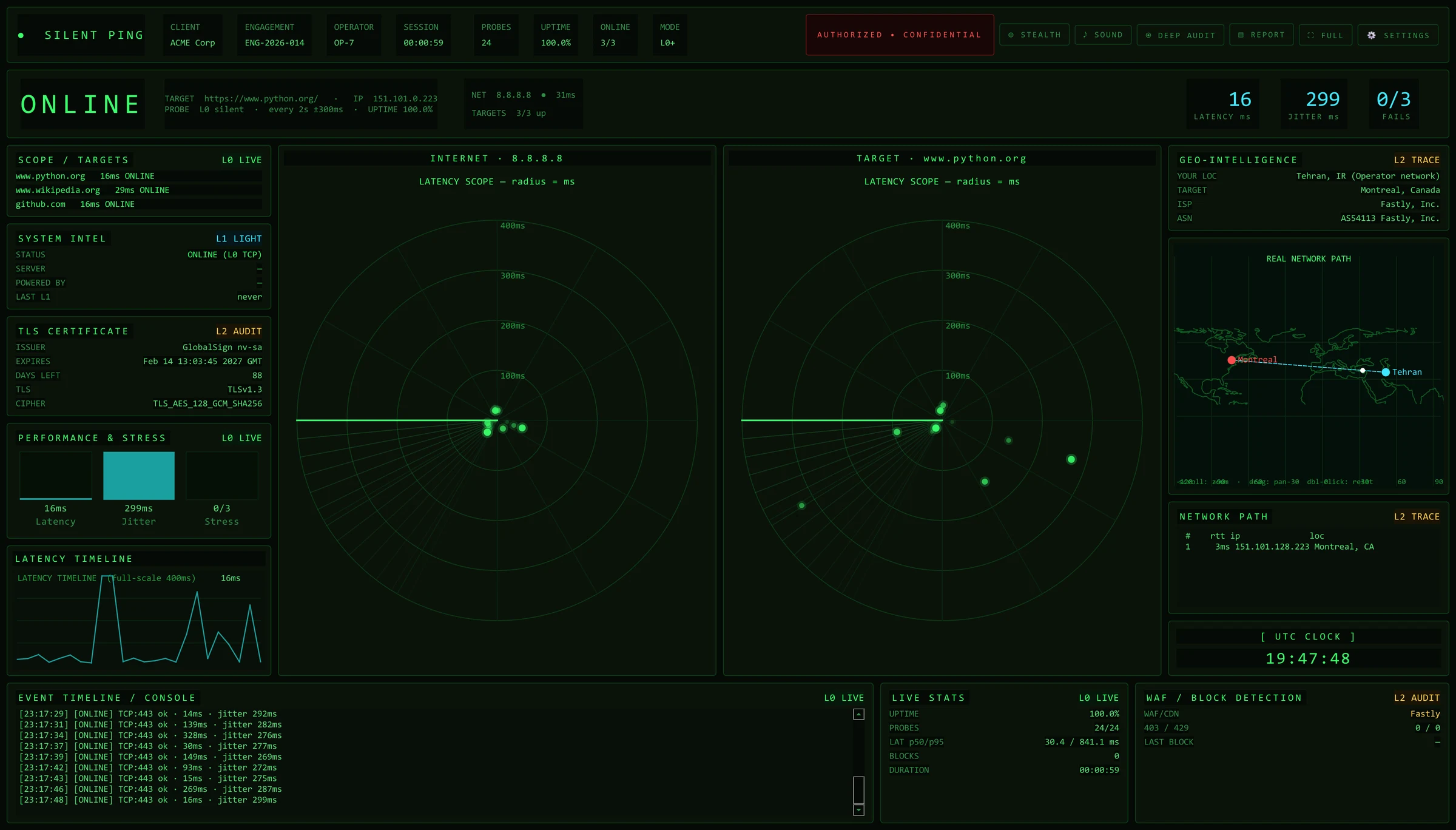
The images below were captured from a real run of the application against a public target.
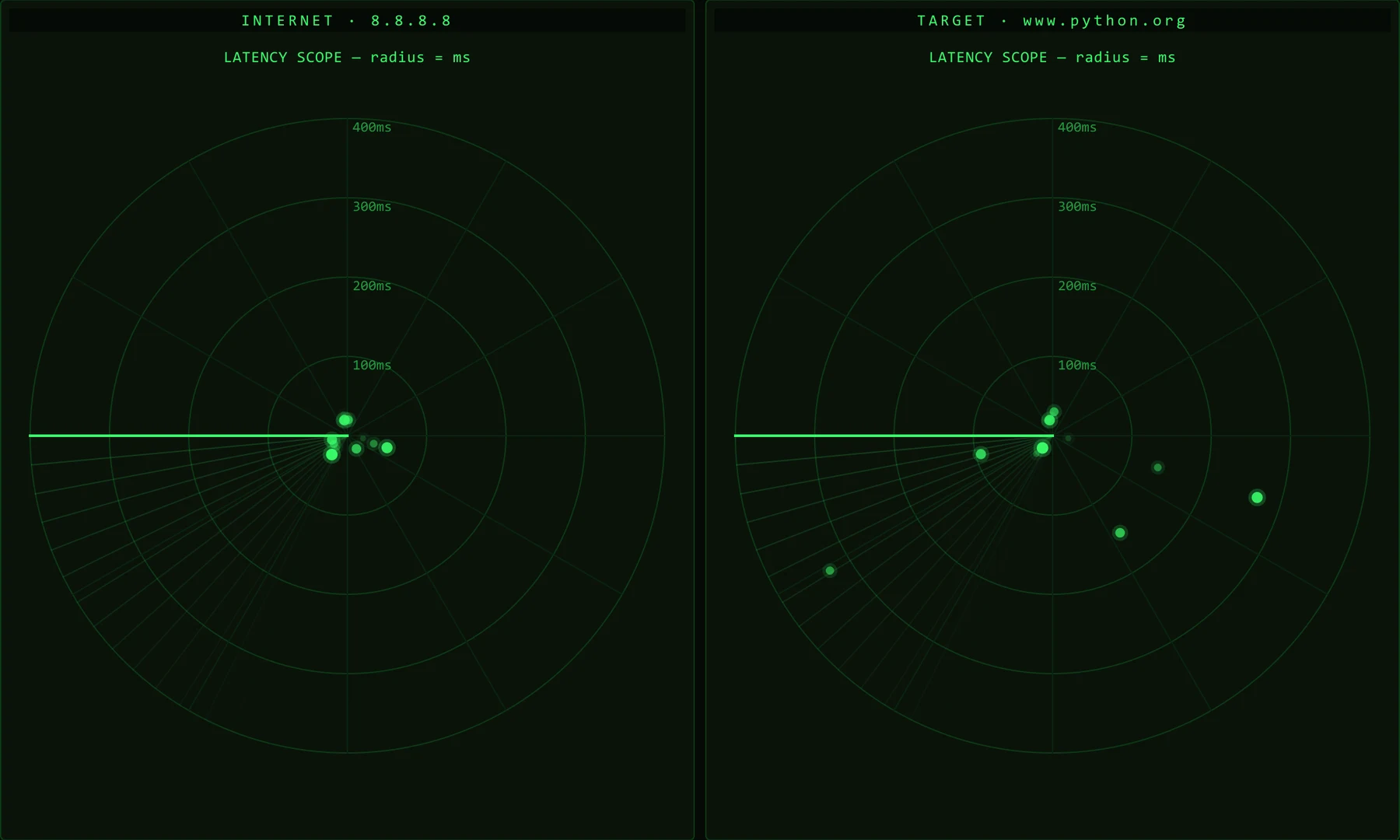
Two radars, one answer
The internet radar and the target radar sit side by side. When only one of them turns red, you know where the fault is.
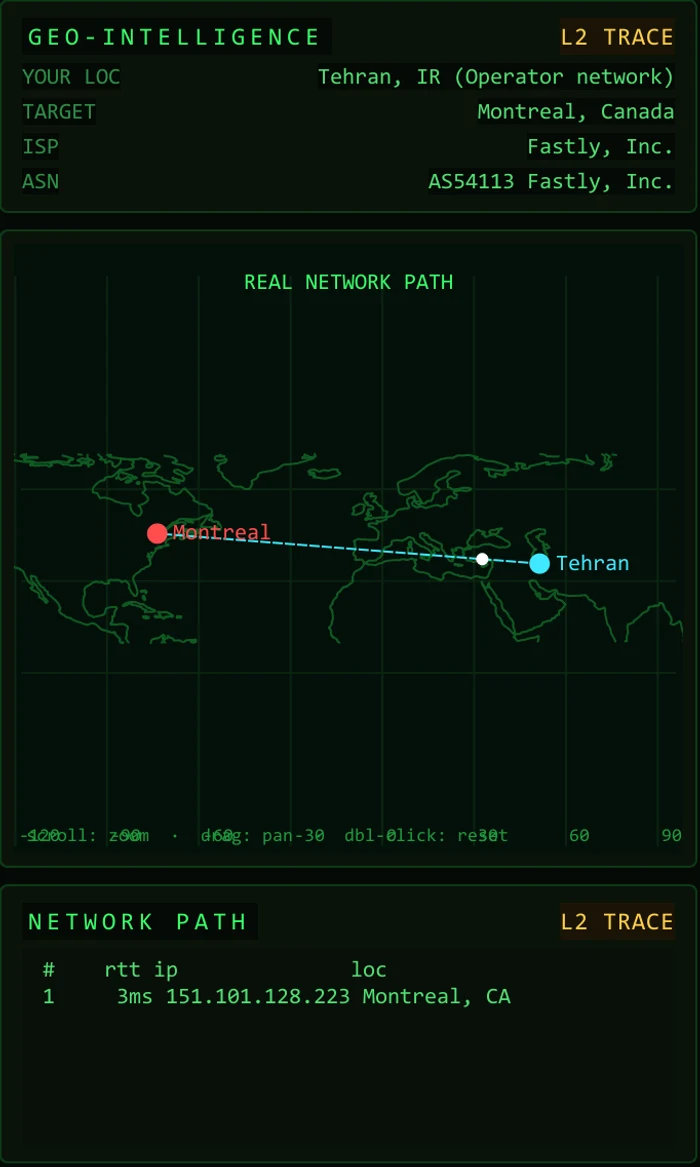
The real route
A traceroute geolocated hop by hop and drawn on a world map, with the target's network and provider beside it.
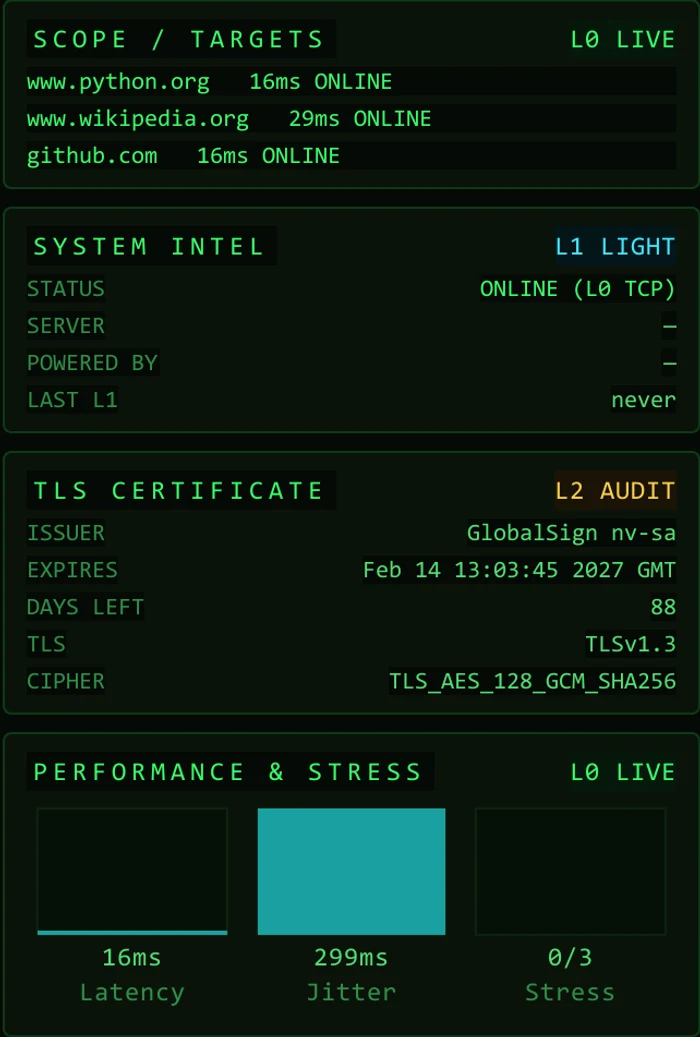
Certificate and WAF at a glance
Issuer, expiry and days left, protocol and cipher, plus the CDN or WAF in front of the target. Changes are flagged in the event log.

A log you can hand over
Every probe, change and audit lands in an event timeline, with uptime, p50 and p95 latency and block counts.
Built for field work
Dual radar
Your link and the target's link are measured separately.
Jittered timing
Probe intervals are randomised so no fixed pattern is visible from you.
Scope tiles
Any number of extra targets on the same beat, each with its own status and latency.
Stealth mode
One switch turns off every check beyond the silent heartbeat.
TLS and WAF audit
Certificate, protocol, cipher and signature-based WAF/CDN detection.
Route map
A real traceroute with GeoIP on a world map with coastlines.
Session recording
Every session is written to a JSONL file for later analysis.
PDF report
Client, engagement and operator header, statistics, TLS, path and recent events in one PDF.
Saved profiles, audible alerts and a full-screen kiosk mode are included.
Authorised use
Silent Ping is built for monitoring your own systems or targets you are authorised to assess. The console carries an AUTHORIZED • CONFIDENTIAL banner in every session.
Common questions about Silent Ping
Is it a replacement for ping?
For connectivity checks, yes. It measures TCP reachability instead of ICMP echo, which is what your users actually depend on.
Does it send anything to the target?
Layer 0 only opens and closes a TCP connection. HEAD, TLS, WAF and route checks are optional or manual, and are disabled in stealth mode.
Which platform does it run on?
It is a desktop application written in Python (Qt) and packages into a single Windows executable.
Does it need the internet?
The heartbeat works anywhere it can reach the target. Location lookups for the route map use public GeoIP services and can be turned off.

Want to see it running?
We can run Silent Ping live against a target you own and walk through the output together.